Deleting a Project
What is Project?
A project is a group of hosts using which you can discover applications.
If you have not added any projects yet, you can see the detailed steps here.
Steps to Delete a Project
Step 1: Navigate to Landing Page
Navigate to the landing page. The page opens as shown in the image below:
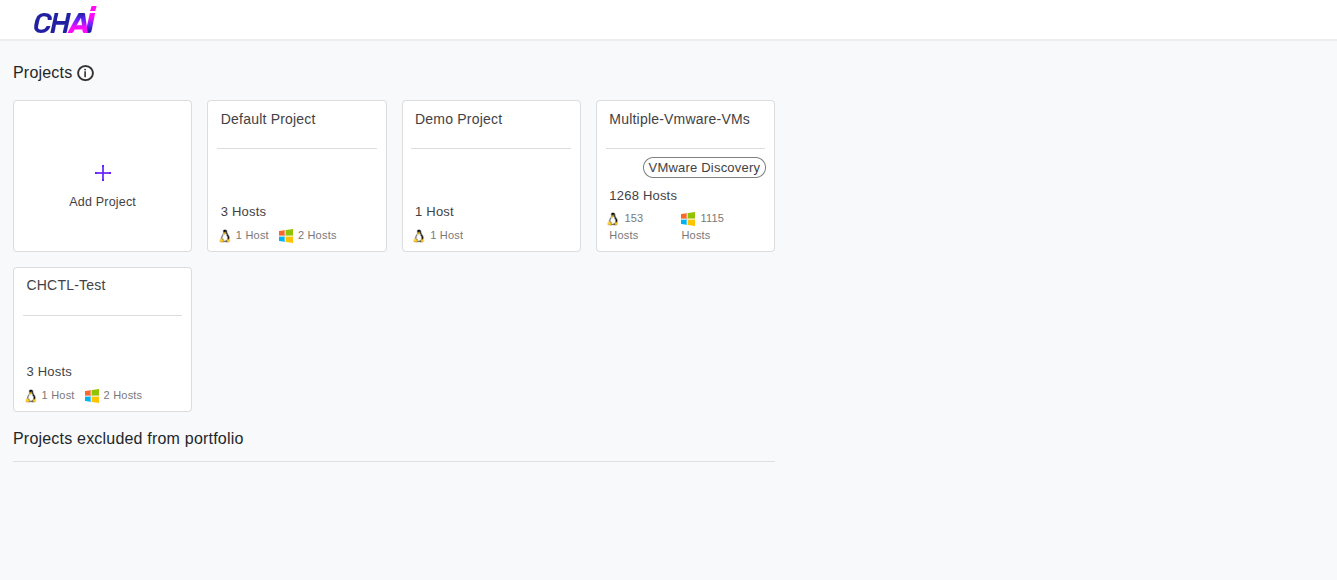
Step 2: Select Project
Click on the project you want to delete. For example, we can click on Demo Project.
Step 3: Access Project Settings
Once you click on the project, click the Project button on the left-hand side column.
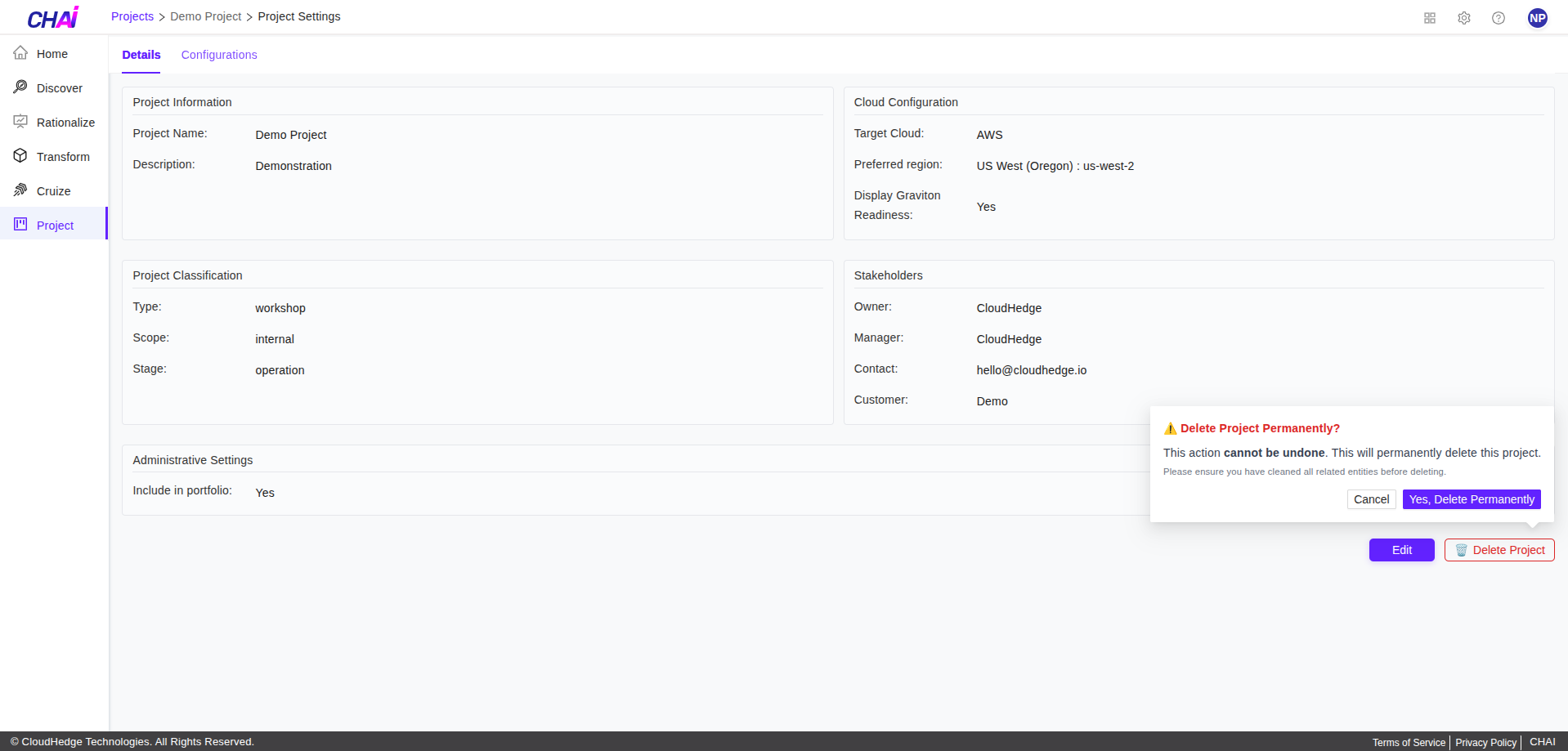
Step 4: Confirm Deletion
Click Yes, Delete Permanently to confirm.
Step 5: Verify Deletion
Go back to the landing page and verify that the project is deleted.
Important Note
A project can only be deleted when all the hosts are deleted from the project.