Appendix II
Adding AWS Credentials in CHAI™
Follow these steps to add AWS credentials in CHAI™:
-
Login to CHAI™ GUI at https://app.cloudhedge.io/ or "CHAI™-appliance-url" using the credentials provided.
-
Navigate to Settings → Vault.
-
Click Add Vault.
-
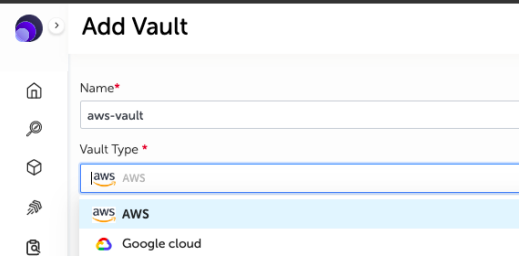
Select vault type as AWS and enter the AWS access key and AWS secret access key.
-
Name the vault as 'aws-vault'.